
Runway Orientation – Point Your Nose Into The Breeze
Have you ever heard of Wrong Way Corrigan? Douglas Corrigan earned his nickname of “wrong way” Corrigan in 1938 when he “accidently” misread his compass over low cloud cover and flew from New York to Ireland even though his official flight plan was filed to fly from New York to Long Beach. The only problem with that story is that Corrigan was a highly skilled aviator and most folks believe he just used the excuse that he got lost because his planned trip to Ireland had been denied approval by authorities. I think he knew exactly what he was doing and flew quite precisely from New York to Ireland, although he never admitted this publicly. As you know, runways are named for the general compass direction in which they point, but how exactly do we decide on the best runway orientation?

Like Wrong Way Corrigan, modern pilots rely quite a bit on compass guidance even though we may have graduated to GPS navigation, the runways we land on are still named according to the compass direction that they point to. I like this naming convention because it sure makes a whole lot more sense than naming them after your former pet. Yes, I’m looking at you Air Traffic and your creative waypoint and intersection names.
As somebody who often struggles with crosswind landings, I’m quite thankful that most runways are orientated so that the predominant winds tend to blow straight down the runway. Now, we all know that wind directions change and can change quite often. However, we’ll see that we can use data to find out where the predominant winds come from and give mediocre pilots like me a fighting chance to make a crosswind landing that I can walk away from. No promises that the aircraft will be usable again, but hopefully I’m at least in good shape.
We’ll use FAA standards and guidance to determine proper runway orientation. We’ll be using a few different FAA Advisory Circulars plus an FAA website to help us understand runway orientation:
AC 150/5000-17, “Critical Aircraft and Regular Use Determination”
AC 150/5300-13B, “Airport Design”
And
The Airport Data Information Portal or (ADIP) for short.
In many cases, it may also be beneficial to use the Airport Master Plan Advisory Circular (AC 150/5070-6B) to help identify both current and future users of the airport.
If federal grants are used to fund runway development, these advisory circulars are mandatory, for projects that don’t use federal funds, these AC’s are recommended.
It’s important to know that there is no “one size fits all situation” for runway orientation, in general, runways are oriented to allow the greatest amount of wind coverage that blows directly down the runway.
In an earlier article, we went over how to determine the critical aircraft for any given runway. For quick review, the critical aircraft is the airplane that uses a given runway for at least 500 operations per year. For the sake of an example critical aircraft, let’s say that our subject runway has a Cessna 172 as the critical aircraft. Based upon the guidance in the Airport Design Advisory Circular 150/5300-13B, the Cessna 172 is classified as a group A-I aircraft. The A designation is based upon it’s approach speed and the I designation is based upon it’s wingspan or tail height.

We also need to know the location of our airport so that we can get some weather and wind data for the area. According to the Airport Design AC:
“The primary runway orientation is normally in the direction of the prevailing wind. A wind data analysis considers wind speed and direction for existing and forecasted operations for local meteorological conditions.”
Additionally, we should design for a crosswind runway when the primary runway orientation:
a. provides less than 95.0 percent wind coverage during all weather conditions, and
b. regular use for the critical aircraft needing crosswind coverage exists (in other words, there are at least 500 operations of the airplane that needs a crosswind), and
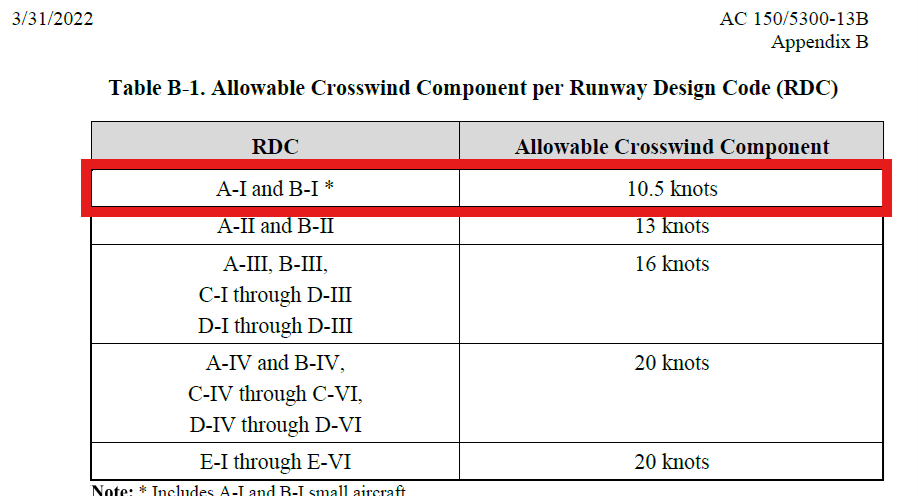
c. Wind coverage is based on the allowable crosswind component not exceeding certain values (which for our critical aircraft, the Cessna 172, is 10.5 knots). If you look at that limit for me personally though, you may want to reduce that to about a knot and a half crosswind.
Wind coverage is the percent of time crosswind components are below an acceptable velocity. Normally, again, the best runway orientation, based on wind, is the one providing the greatest wind coverage with the minimum crosswind components.
The desirable wind coverage for an airport is 95 percent of the time based on the total number of weather observations during the recording period of at least ten consecutive years. We use all weather winds to assess overall wind coverage needs.
So for our example, the airport’s runways should be able to provide 10.5 knots of crosswind or less for our Cessna 172 at least 95% of the time.
The best place to find wind data and create a windrose with that data is the ADIP system that I mentioned earlier. In order to analyze wind data, you will need to be a registered user of ADIP. For most people, you can register as a “Public User” and get access to several helpful tools, including the wind data. Once you log in to ADIP, there will be a section called ‘Search Wind Data’.
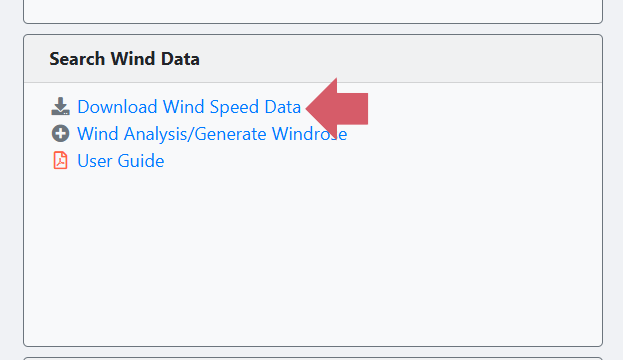
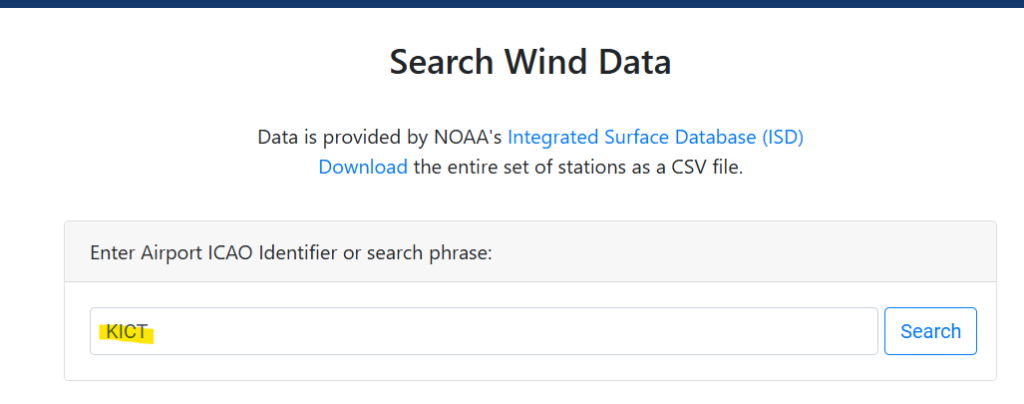
From there, you can download wind data from the nearest location to your airport. As an example, let’s assume that we want to build a new airport near Wichita Kansas. Once you click on the ‘Download Wind Speed Data’ link in ADIP, you need to select the area or the closest airport LOCID to retrieve the wind data. The LOCID for Wichita is KICT, so I’ll put that in the search form, the form works best if you use the K in front of the LOCID.
Once the search is complete, select ‘All Weather’ from the wind data type, then select ‘Click Here’ under the ‘Generate Wind Rose’ heading. This may take a few minutes because the system is gathering 10 years of wind data so try to be patient.
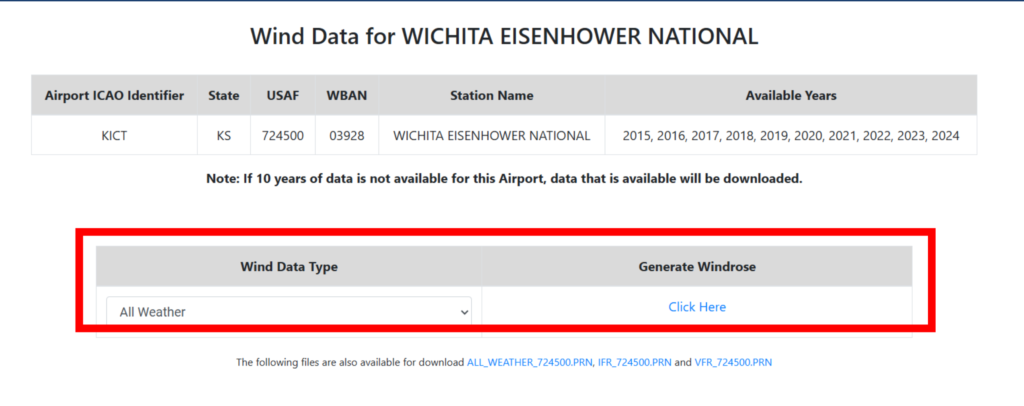
Once the wind rose is generated, ADIP will open a new screen where you can experiment with different runway orientations to try to get the desired 95% wind coverage for our Cessna 172.
A few items to note, remember that north on the compass is 360 degrees, east is 90 degrees, south is 180 degrees and west is 270 degrees. Enter the runway direction using 3 digits, for example use 040 for 40 degrees.
Let’s start off by just assuming that we’ll have 1 runway. We can look at up to six runways, but we’re trying to save some money and only build one runway that hopefully gives us 95% wind coverage.
Another item that you need to enter is maximum allowable crosswind, which for our Cessna 172 is 10.5 knots.
And finally, because we want to use the runway in both directions, enter 60 knots for the tailwind because that’s what the tool tells us to do. I always try to do as I’m told, even though my wife often tells me I fail at this.
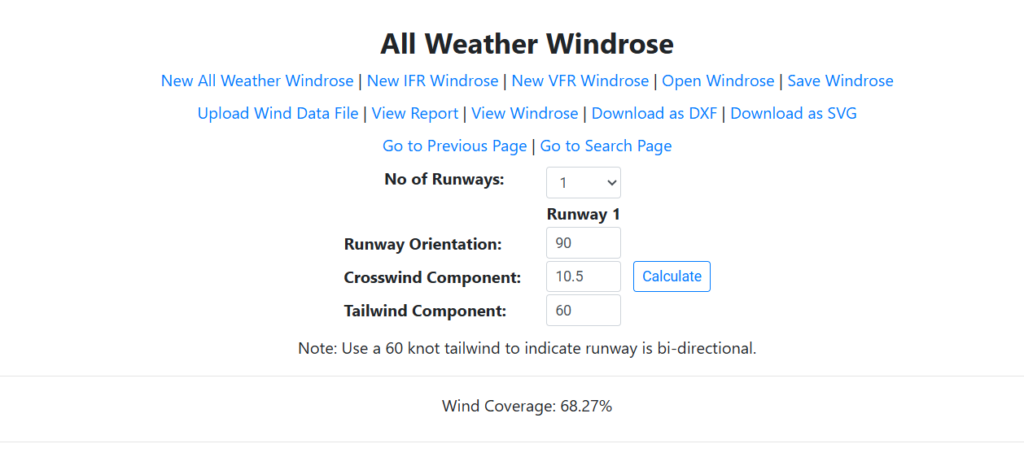
Let’s try at first to enter a runway direction of 90 degrees, which would create an east-west runway, the ADIP system now shows that the wind coverage for that orientation is only 68.27%. Not quite good enough.
Now when I try an orientation of 360 degrees, the wind coverage goes up to 93.3%, almost there.
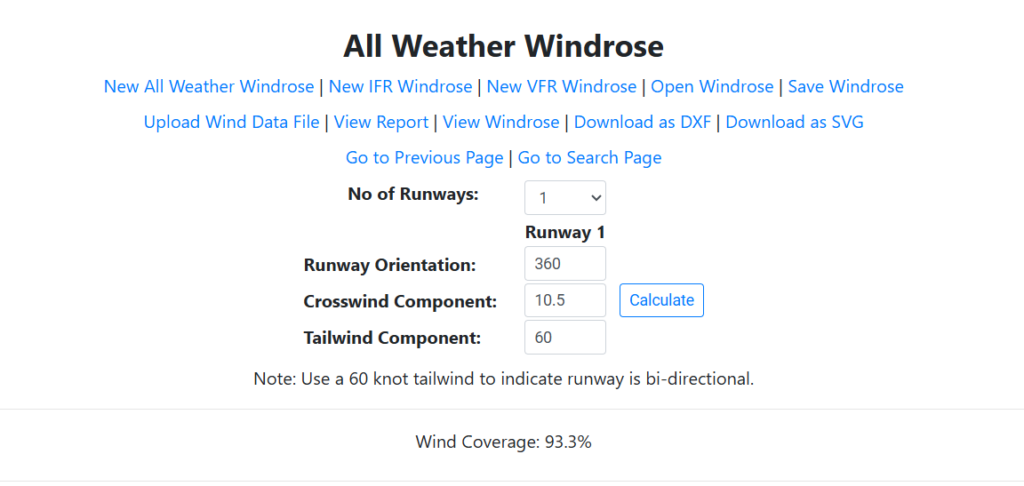
After a few more tries, I was not able to find an orientation that gave me more wind coverage than 93.3% from the 360 degree attempt above.
Hmm, based on what we learned above, this just isn’t quite good enough. If funds are limited (which they usually are) we might stop there and call it a day. Close enough for government work right?
But, if we have unlimited funds, and we really want to achieve 95% wind coverage for our Cessna 172, we would then need to build a crosswind runway in order to get 95% wind coverage when combining the two runways.
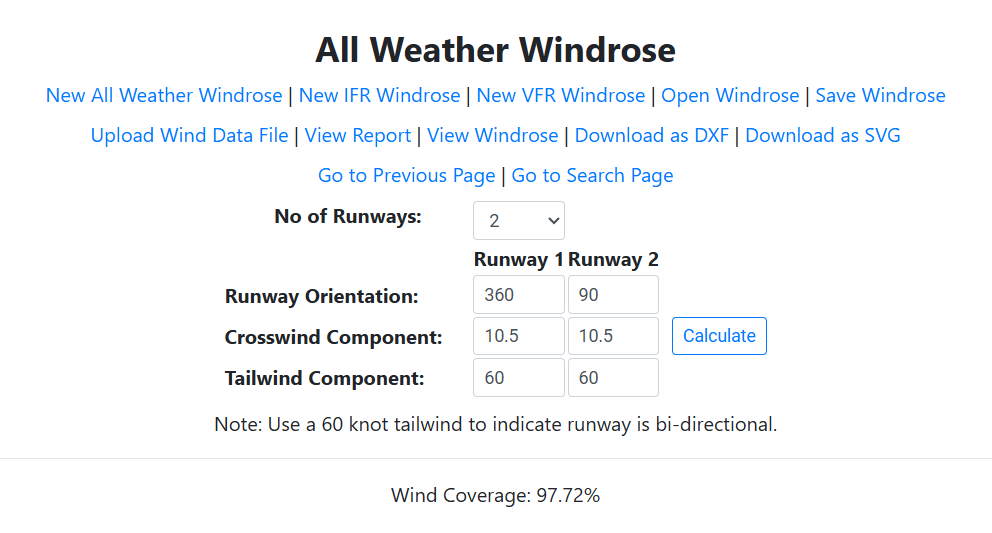
ADIP also allows us to experiment with this idea as well. So if we built the runway in a north-south orientation (18/36) as the primary runway, then we look at building a crosswind runway in a east-west configuration (9/27), we now have two runways and the wind coverage is a whopping 97.72%!
So that’s it in a nutshell, there are many tools available to help orient runways in the best direction in order to minimize the occurrence of crosswind landings…thank goodness. It can be fun just to play with the wind coverage tool in ADIP to see what kind of wind coverage you are actually getting at your home airport.